
About X1
About X1 firmware upgrade
X1 android projector support OTA online update Android firmware. Every time we update the firmware, after uploading to the cloud server, X1 Smart Version will prompt to update, Operation video guide:https://youtu.be/vYFfX_1yN6I
It can also be upgraded via U disk
Step:
- Prepare a USB drive smaller than 32GB.
- You can click the icon below to download the firmware of X1 . Do not change the name of the file, otherwise the projector will not recognize it.
- After downloading the firmware, copy it to the root directory of the USB drive. Be careful not to put the firmware in the folder.
- Insert the USB drive into the projector’s USB port.
- Then connect the power cord of the projector.
- Press and hold the power on key until the upgrade progress bar pops up on the screen, and wait for the automatic upgrade.
Note: the upgrade process must not be interrupted.
Firmware upgrade operation guide video:
Firmware download link:
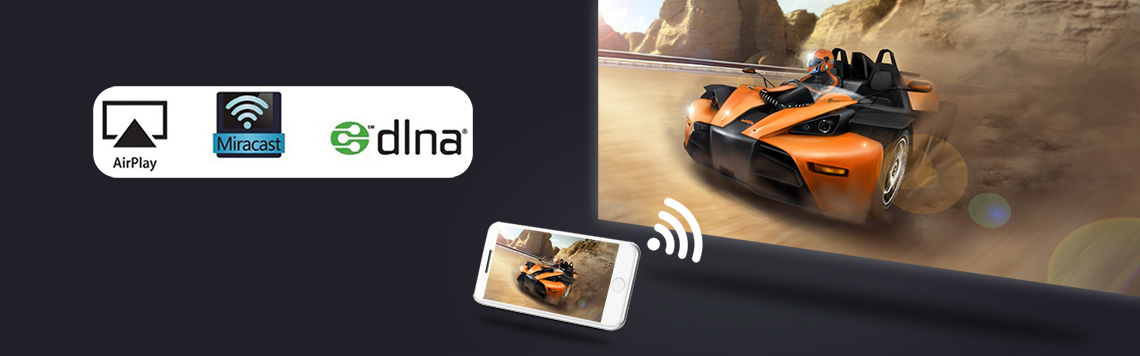
About X1 Wireless screen projection function
wifi-display function, the projector displays the image and sound of the mobile phone screen through the mirroring function of the smartphone. This is not achieved using the Bluetooth function. It is achieved through the screen mirroring function that comes with the phone.
ios smartphone realizes screen mirroring via projector’s “Eshare” app
Operation instruction video connection: https://youtu.be/4NmfLGytyvM
Note: Not all Android smartphones support the screen mirroring function. For smartphones that support screen mirroring, there are options similar to this in the “Settings” or “More Functions” options of the smartphone, for example: “Screen mirroing”, “Wifi-display”, “multi-screen”, “screen projection”, “play to”, “media output”, etc.
If the projector’s pre-installed screen mirroring app is not compatible with your Android smartphone, you can also download and install Airscreen, happycast and other apps that support wifi-display on the projector.
Tips:
Some video apps with copyright protection cannot support wireless projection from other devices to the projector. For example, Netflix, iTunes Movie, Google Movie, Amazon Prime do not support this function on some smartphone and computers. All Android system projectors on the market are the same.

BYINTEK Magic X1 Projector Operation Guidance Video
- How to turn on BYINTEK Magic X1 projector?
Operation instruction video connection:https://youtu.be/eE2GP5zs2jk - How to connect WiFi of BYINTEK Magic X1 projector?
Operation instruction video connection: https://youtu.be/A5FCh2erNYA - How to connect Bluetooth device of BYINTEK Magic X1 projector?
Operation instruction video connection:https://youtu.be/9-cCqTgGE8M - How to change the system language of BYINTEK Magic X1 projector?
Operation instruction video connection:https://youtu.be/TpEtfRfgcjE - How to view device information of BYINTEK Magic X1 projector?
Operation instruction video connection:https://youtu.be/B060tD_i7v8 - How to switch the signal source of BYINTEK Magic X1 projector?
Operation instruction video connection:https://youtu.be/8nBWlbxlmCY - How to set the default HDMI signal source of BYINTEK Magic X1 projector?
Operation instruction video connection:https://youtu.be/DhEdXAKl0hw - How to set manual corner keystone correction for the Magic X1 projector?
Operation instruction video connection:https://youtu.be/HTMmg2sI124 - How to connect Magic X1 remote control to adjust focus?
Operation instruction video connection: https://youtu.be/ubZSq5xtxmk - How to automatically correct the trapezoid o fMagic X1?
Operation instruction video connection:https://youtu.be/ole2Sa2GHgs - How to use Magic X1 for Android wireless screen mirroring?
Operation instruction video connection: https://youtu.be/OANbfh2xZVA - How to read USB files from Magic X1?
Operation instruction video connection: https://youtu.be/q2vb2gq0gWs - How to download software from a USB drive for Magic X1?
Operation instruction video connection: https://youtu.be/Aa8gkY4BecE - How to update the system locally through a USB drive for Magic X1?
Operation instruction video connection: https://youtu.be/-daF4XLjU9g - How to upgrade Magic X1 online?
Operation instruction video connection:https://youtu.be/vYFfX_1yN6I - How to switch the projection mode of Magic X1?
Operation instruction video connection: https://youtu.be/SmS7Alc6diA - How to download applications from Magic X1 in Google Paly?
Operation instruction video connection: https://youtu.be/EtIA-0AqKiU - How to restore Magic X1’s appearance settings?
Operation instruction video connection:https://youtu.be/2ZFO0huxTAU

X1 Series Projector Maintenance Guide
- How to remove the shell of BYINTEK X1 projector
Operation video guide:https://youtu.be/8YZPar5stIM - How to remove battery and speaker from BYINTEK X1 projector
Operation video guide:https://youtu.be/Ltd8ZnGNMRs - How to remove the driver board of BYINTEK X1 projector
Operation video guide:https://youtu.be/K31RxHasOUU - How to remove the motherboard of BYINTEK X1 projector
Operation video guide:https://youtu.be/JeMQog4_aZ0 - How to remove the fan of BYINTEK X1 projector
Operation video guide:https://youtu.be/stamDRUNpSA - How to disassemble the optical machine and fan hot copper of BYINTEK X1 projector
Operation video guide:https://youtu.be/0YNp_avpAHs - How to remove the remote control receiver from the BYINTEK X1 projector
Operation video guide:https://youtu.be/MfLvpVXMw6U - How to disassemble the focusing motor of BYINTEK X1 projector
Operation video guide:https://youtu.be/QdD63oO8nOc - BYINTEK X1 projector complete disassembly video
Operation video guide:https://youtu.be/Tq5kxXr4j4Q