
About Vevshao A15
About Vevshao A15 firmware upgrade
You can also upgrade via USB flash drive
1、The product can be turned on normally, please use this method to open the settings.
Steps:
- You can click the icon below to download the firmware compression package of vevshao A15. The firmware name is ” “. Do not change the file name, otherwise the projector will not be able to recognize it.
- Copy the firmware compression package to the root directory of the USB flash drive. Note: Do not put it in other folders.
- Insert the USB flash drive into the USB port of the projector
- Open “Settings”-“About”-“local upgrade” in sequence, and then upgrade according to the prompts. Wait for the projector to restart automatically, and it can be used after the upgrade is completed.
Note: The upgrade process must not be interrupted.
Firmware upgrade operation guide video: https://youtu.be/n6oqx29yGJk
2、If the product cannot be turned on normally, please use this method to open the settings
Step:
- Prepare a USB drive smaller than 32GB.
- You can click the icon below to download the firmware of A15 . Do not change the name of the file, otherwise the projector will not recognize it.
- After downloading the firmware, copy it to the root directory of the USB drive. Be careful not to put the firmware in the folder.
- Insert the USB drive into the projector’s USB port.
- Then connect the power cord of the projector.
- Press and hold the power on key until the upgrade progress bar pops up on the screen, and wait for the automatic upgrade.
Note: the upgrade process must not be interrupted.
Firmware upgrade operation guide video:
A15 Firmware:https://drive.google.com/drive/folders/1l2Wek8qz_tWjjhAUCOIslLsaVu43vxgD?usp=drive_link
A15 startup without screen firmware:https://drive.google.com/drive/folders/1Nr4jQhYXhwxgz0gTTmddHkDqm2GzeIyr?usp=drive_link
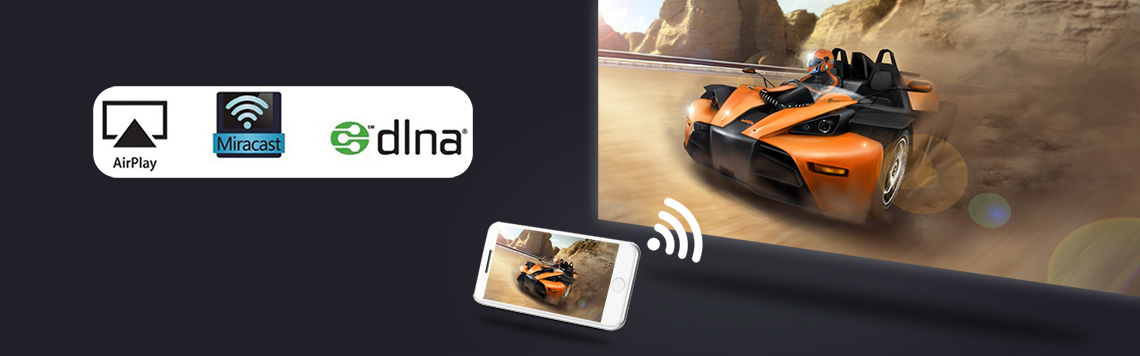
About Vevshao A15 Wireless screen projection function
With the development of science and technology, in the current Bluetooth function, it is no longer used for Bluetooth to transfer files. The role of Bluetooth is only to transmit sound. The Bluetooth file transfer function has been replaced by APP.
Wifi, Bluetooth, wifi-display (airplay, Miracast, DLNA) are all different functions. The effects are different.
wifi-display function, the projector displays the image and sound of the mobile phone screen through the mirroring function of the smartphone. This is not achieved using the Bluetooth function. It is achieved through the screen mirroring function that comes with the phone.
- ios smartphonerealizes screen mirroring via projector’s “J-Share”app
Operation instruction video connection:https://youtu.be/XLrdaSKwxQI
- Android smartphonesrealize screen mirroring via projector’s “J-Share”app
Operation instruction video connection: https://youtu.be/4smniA2gTNw
Note: Not all Android smartphones support the screen mirroring function. For smartphones that support screen mirroring, there are options similar to this in the “Settings” or “More Functions” options of the smartphone, for example: “Screen mirroing”, “Wifi-display”, “multi-screen”, “screen projection”, “play to”, “media output”, etc.
Tips:
Some video apps with copyright protection cannot support wireless projection from other devices to the projector. For example, Netflix, iTunes Movie, Google Movie, Amazon Prime do not support this function on some smartphone and computers. All Android system projectors on the market are the same.

Vevshao A15 Projector Operation Guidance Video
- How to use the Vevshao A1 projector (how to turn it on)?
Operation instruction video connection: https://youtu.be/mSgnAKXc3KA
- How to connect Vevshao A15 projector to WiFi?
Operation instruction video connection: https://youtu.be/AasRRiIZFVY
- How to connect Vevshao A15 projector to other Bluetooth devices
Operation instruction video connection:https://youtu.be/lFn2b5jQNMA
- How to check the system version information of Vevshao A15 projector?
Operation instruction video connection: https://youtu.be/NLN2TCKqVNs
- How to change the system language of Vevshao A15?
Operation instruction video connection:https://youtu.be/KF0zyqFjjWw
- How to switch signal source in Vevshao A15?
Operation instruction video connection:https://youtu.be/5pqO8QeyS4w - How to operate Vevshao A15 to restore factory settings?
Operation instruction video connection:https://youtu.be/josteJprFcY
- How to set Vevshao A15 to flip the screen image during ceiling mount or rear projection?
Operation instruction video connection:https://youtu.be/6yg7B5FqVcQ
- How to turn on automatic vertical keystone correction in Vevshao A15?
Operation instruction video connection:https://youtu.be/6QBQuUM9m7Q
- How to enable autofocus on Vevshao A15 projector?
Operation instruction video connection:https://youtu.be/zLfS18ASp8c
- How to set screen zoom on Vevshao A15 projector?
Operation instruction video connection:https://youtu.be/_e7tFxm1XhU
- How to operate Vevshao A15 to update firmware via U disk?
Operation instruction video connection:https://youtu.be/n6oqx29yGJk
How to read USB images and videos on Vevshao A15 projector?
Operation instruction video connection:https://youtu.be/YoYVM9IFtjIHow to use corner keystone correction in Vevshao A15?
Operation instruction video connection:How to focus remotely on Vevshao A15 projector?
Operation instruction video connection:https://youtu.be/nJpn2Epxgkk- How to solve Fire TV stick 4K connected to the projector to play movies no sound?
Turn off Dolby in the setting sound of Fire TV stick 4K.
Step:”setting”—-“display&Sound”—“Audio”—“Dolby digital output”—“Dolby digital plus OFF”, Turn off Dolby,Do it a few times,Confirm whether Dolby is successfully turned off.Tips: Some sources can work normally without turning off Dolby and setting them to automatic mode. If there is still no sound in automatic mode, you must turn off Dolby.
Operation instruction video connection: https://youtu.be/2S77xzLHC84

Vevshao A15 Projector Maintenance Guide
- How to solve the problem of remote control not working?
1).The projector comes standard with a 2.4G wireless remote control. If the remote control does not work, you need to re-operate the remote control to pair with the projector.The operation method is to take out the battery of the remote control, start the projector, wait for the projector to turn on, then move the remote control close to the projector, and then install the battery of the remote control, and the remote control will re-pair with the projector.2).If the pairing is unsuccessful, replace a remote control and try again.
3).If the replacement of the remote control still fails, it may be that the cable between the remote control receiver and the motherboard is loose. Reconnect the cable between the receiver and the motherboard.
4).If there is still a problem, there may be a problem with the remote control receiving circuit board or the main board. Just replace the corresponding parts. There is a disassembly video guide below.
- How to remove the motherboard of the Vevshao A15 projector?
Operation instruction video connection: https://youtu.be/Ow1kr3JIJcU - Replace the focus motor of vevshao A15 series projector
Fault phenomenon:
If you press and hold the “F+” and “F-” buttons of the remote control, the projector lens cannot move back and forth, that is, it cannot be focused. It may be that the focusing motor is not working, or the circuit board connected to the focusing motor is not working. Replace both parts.
Operation instruction video connection: https://youtu.be/1UFdjMpH2dU - How to replace the LCD of the vevshao A15 projector?
Fault phenomenon:
If the picture image is abnormal, there are colored streaks, or there are cracks, black blocks that will not recover after the projector cools down, etc., the LCD may be damaged and the LCD needs to be replaced.
Operation instruction video connection:https://youtu.be/63JmYbIrRfw - Replace vevshao A15 Projector Cooling Fan
Operation instruction video connection:https://youtu.be/5vIHt_XbFyY - What should I do if the remote control does not respond? How to replace theremote control receiver inside the vevshao A15 series projector?
Solution:
Turn on the projector first, then remove and re-install the batteries of the remote control.
If it still doesn’t work, please replace the remote
If replacing the remote control does not work, please replace the remote control receiver inside the projector
Replacing the remote control receiver inside the projector, operation guide video URL: - How to replace the heat-insulating glass and front mirror of Vevshao A15?
Fault phenomenon:
If large areas of yellow spots appear on the image and the projector cannot be restored after restarting, the heat-insulating glass may have been burned yellow or the LCD may have been burned yellow and damaged. The heat-insulating glass or LCD needs to be replaced.
Operation instruction video connection:https://youtu.be/fo7jSuyXqOM - vevshao A15 projector all parts disassembly instruction video (disassemble: motherboard, LCD, power board, fan, Insulation glass, reflector, lens, LED, focus motor, speaker, )
Operation instruction video connection: https://youtu.be/SIZQ5oc1BmI
 English
  العربية
  Русский