
About A24
A24 android projector support OTA online update Android firmware. Every time we update the firmware, after uploading to the cloud server, A24 will prompt to update, Operation video guide:https://youtu.be/FH3W5ENwqdA
It can also be upgraded via U disk
Step:
- Prepare a USB drive smaller than 32GB.
- You can click the icon below to download the firmware of A16 . Do not change the name of the file, otherwise the projector will not recognize it.
- After downloading the firmware, copy it to the root directory of the USB drive. Be careful not to put the firmware in the folder.
- Insert the USB drive into the projector’s USB port.
- Then connect the power cord of the projector.
- Press and hold the power on key until the upgrade progress bar pops up on the screen, and wait for the automatic upgrade.
Note: the upgrade process must not be interrupted.
Firmware upgrade operation guide video:
Firmware download link:
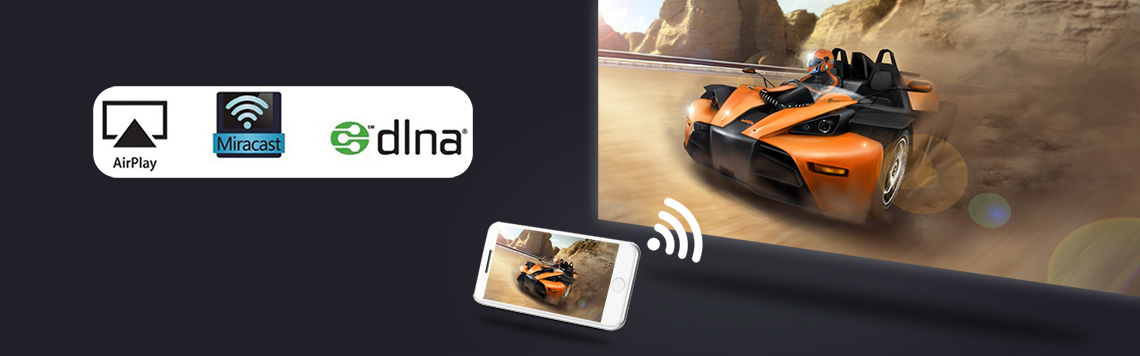
About A24 Wireless screen projection function
wifi-display function, the projector displays the image and sound of the mobile phone screen through the mirroring function of the smartphone. This is not achieved using the Bluetooth function. It is achieved through the screen mirroring function that comes with the phone.
- ios smartphone realizes screen mirroring via projector’s “IOScast” app
Operation instruction video connection:https://youtu.be/pTpGgY8pZsU
- Android smartphones realize screen mirroring via projector’s “Miracast” app
Operation instruction video connection:https://youtu.be/GvPwHOPKnuc
Note: Not all Android smartphones support the screen mirroring function. For smartphones that support screen mirroring, there are options similar to this in the “Settings” or “More Functions” options of the smartphone, for example: “Screen mirroing”, “Wifi-display”, “multi-screen”, “screen projection”, “play to”, “media output”, etc.
If the projector’s pre-installed screen mirroring app is not compatible with your Android smartphone, you can also download and install Airscreen, happycast and other apps that support wifi-display on the projector.
Tips:
Some video apps with copyright protection cannot support wireless projection from other devices to the projector. For example, Netflix, iTunes Movie, Google Movie, Amazon Prime do not support this function on some smartphone and computers. All Android system projectors on the market are the same.

A24 Projector Operation Guidance Video
- How to use the A24 projector (how to turn it on)?
Operation instruction video connection:https://youtu.be/ZoeAyr0suLc
- How to connect A24 projector to WiFi?
Operation instruction video connection:https://youtu.be/_XnuaLw3IWs
- How to connect A24 projector to other Bluetooth devices
Operation instruction video connection:https://youtu.be/BoADmd2hTzw
- How to check the system version information of A24 projector?
Operation instruction video connection:https://youtu.be/hUae3hwN8WY
- How to change the system language of A24?
Operation instruction video connection:https://youtu.be/ammimJ2cVAI
- How to switch signal sources for Vevshao A24MAX?
Operation instruction video connection:https://youtu.be/Zaj5bdBB5j0
- How to operate A24 to restore factory settings?
Operation instruction video connection:https://youtu.be/wLVy8MvK5fk
- How to set A24 to flip the screen image during ceiling mount or rear projection?
Operation instruction video connection:https://youtu.be/onbSHDwPuRI
- How to adjust A24 basic electronic digital zoom?
Operation instruction video connection: https://youtu.be/SvZK67aSopM
- How to operate A24 to upgrade via network OTA?
Operation instruction video connection:https://youtu.be/FH3W5ENwqdA
- How to operate A24 to update firmware via U disk?
Operation instruction video connection: https://youtu.be/lMwX6Ak3vw4
- How to turn on auto focus on A24?
Operation instruction video connection:https://youtu.be/s94Tk3-ojX8
- How to enable automatic power on for A24?
Operation instruction video connection:https://youtu.be/01n9H_vYRNI
- How to remotely pair Vevshao A24?
Operation instruction video connection:https://youtu.be/SvziqJ0AGQk
- How can Vevshao A24 use a remote control to assist in focusing?
Operation instruction video connection:https://youtu.be/-imuqx7fjsQ
- How to set automatic trapezoid correction for Vevshao A24?
Operation instruction video connection: https://youtu.be/u6c_3iZOmzc
- How to set automatic obstacle avoidance for Vevshao A24?
Operation instruction video connection:https://youtu.be/sFFyf0bIeTk
- How to Download Vevshao A24 Software in Google Play?
Operation instruction video connection:https://youtu.be/8M9cNZ9cqi4 - How to set the four corner trapezoid correction for Vevshao A24?
Operation instruction video connection:https://youtu.be/3rsfPAlNTvY
21.How to set automatic obstacle avoidance for Vevshao A24?
Operation instruction video connection:https://youtu.be/sFFyf0bIeTk

A24 Projector Maintenance Guide
- How to solve the problem of remote control not working?
1.1 The projector comes standard with a 2.4G wireless remote control. If the remote control does not work, you need to re-operate the remote control to pair with the projector.The operation method is to take out the battery of the remote control, start the projector, wait for the projector to turn on, then move the remote control close to the projector, and then install the battery of the remote control, and the remote control will re-pair with the projector.
1.2 If the pairing is unsuccessful, replace a remote control and try again.
1.3 If the replacement of the remote control still fails, it may be that the cable between the remote control receiver and the motherboard is loose. Reconnect the cable between the receiver and the motherboard.
1.4 If there is still a problem, there may be a problem with the remote control receiving circuit board or the main board. Just replace the corresponding parts. There is a disassembly video guide below.
- The lens of the BYINTEK A24 projector has no light coming out, and the LED does not work, how can I solve it?
Fault phenomenon:
After the projector presses the power button, you can hear that the fan inside the projector is working normally, but there is no light coming out of the lens at all, maybe the LED is not working.
First, disassemble the projector to check whether the cables on the power board are connected properly. If the cables on the power board are connected normally and there is no looseness, the projector still does not work, and a new power board needs to be replaced. If it is still not normal, you need to replace the LED. If the lens still has no light after replacing the LED, you need to replace the motherboard.
Usually replace the power board projector is normal. LED damage is generally caused by high voltage breakdown of the projector’s LED due to lightning strikes or unstable household power grids.
- Replace the power board of BYINTEK A24 series projector
Fault phenomenon:
The power indicator on the top cover of the projector is not on, or there is no light coming out from the inside of the projector lens (that is, the LED does not work), it may be a problem with the power board, and the power board needs to be replaced
Operation instruction video connection:
- Replace the focus motor of BYINTEK A24 series projector
Fault phenomenon:
If you press and hold the “F+” and “F-” buttons of the remote control, the projector lens cannot move back and forth, that is, it cannot be focused. It may be that the focusing motor is not working, or the circuit board connected to the focusing motor is not working. Replace both parts.
Operation instruction video connection:https://youtu.be/CBrX0dWhmj8
- A few minutes after the projector is turned on, a black shadow appears in the middle of the screen and gradually expands. This may be because the LCD cooling fan inside the projector is not working.
Operation instruction video :https://youtu.be/H0_3cX33NPA
Operation instruction video :https://youtu.be/cQvnMRD5KxM
6.Replace the motherboard of BYINTEK A24 projector?
Operation instruction video connection: https://youtu.be/zyRUM7YtZGg
7.How to replace the LCD of the BYINTEK A24 projector?
Fault phenomenon:
If the picture image is abnormal, there are colored streaks, or there are cracks, black blocks that will not recover after the projector cools down, etc., the LCD may be damaged and the LCD needs to be replaced.
Operation instruction video connection:https://youtu.be/QT0aIm_ec2E
- What should I do if the remote control does not respond? How to replace theremote control receiver inside the BYITNEK A24 series projector?
Solution:
9.1Turn on the projector first, then remove and re-install the batteries of the remote control.
9.2If it still doesn’t work, please replace the remote
9.3If replacing the remote control does not work, please replace the remote control receiver inside the projector
Replacing the remote control receiver inside the projector, operation guide video URL:https://youtu.be/nUH3jbn2ABY
- How to remove the outer casing of a Vevshao A24MAX
Operation instruction video connection:https://youtu.be/zIJD0B9ablA - How to remove the GTV board from a Vevshao A24MAX
Operation instruction video connection:https://youtu.be/ljQlwLuG8Lo - How does the Vevshao A24MAX speaker work?
Operation instruction video connection:https://youtu.be/1Xb_ymLK7Yg - Full teardown video
Operation instruction video connection:https://youtu.be/QT0aIm_ec2E
 English
  العربية
  Русский