
About V80
About Vevshao V80 system firmware upgrade
If there is a problem with the projector’s Android firmware ,
- you can click the icon below to download the firmware and unzip it.
- Unzip the firmware to the root directory of the U disk. Note: Do not put it in other folders.
- Then insert the U disk into the USB interface of the projector, and then connect the power cord of the projector, press and hold the power button to upgrade, the projector will automatically upgrade.
- Wait for the projector to automatically shut down, and then load all the APPs after it is automatically turned on, about 20 minutes. It can be used normally. Note: Do not disconnect the power to the projector when upgrading. Otherwise it will cause the projector to be abnormal and slow to start. Need to upgrade again.
Firmware upgrade user guide video: https://youtu.be/9-VHOo2GeXs
Use this firmware when the serial number is BYDZ****X2GGTV0********~BYDZ****X13GGTV0*********
Firmware version: Version number X.13TY2024112217en6
Use this firmware when the serial number is BYDZ****X24GGTV0*********
Firmware version: Version number:X.24G2024120916en6
Note: Due to the continuous upgrading and improvement of products, the hardware motherboard of the projector will also be continuously upgraded, and the Android system firmware corresponding to different motherboards is also different. You can download the following corresponding firmware according to the serial number at the bottom of the projector to update the projector firmware . Note: Flashing the wrong firmware will result in the projector not working. If anything is unclear, please contact customer service and provide the serial number.
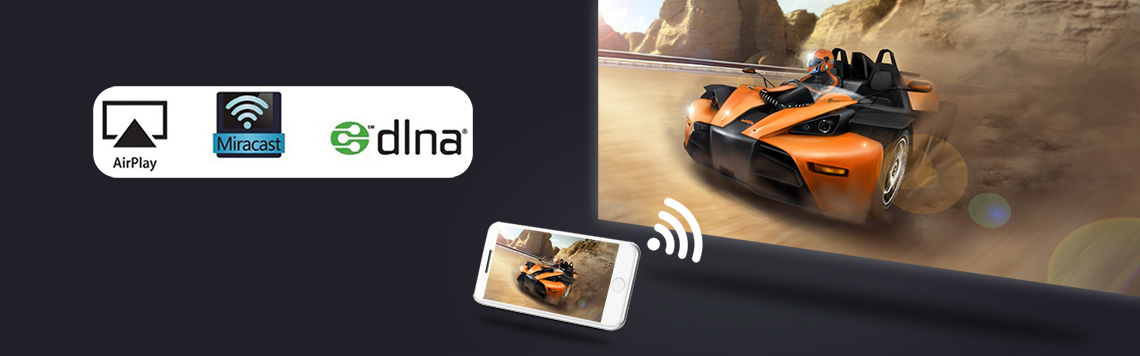
Tips: With the development of science and technology, in the current Bluetooth function, it is no longer used for Bluetooth to transfer files. The role of Bluetooth is only to transmit sound. The Bluetooth file transfer function has been replaced by APP.
Wifi, Bluetooth, wifi-display (airplay, Miracast, DLNA) are all different functions. The effects are different.
Many buyers often misunderstand the function of Bluetooth. For example: the following 3 types are different functions.
Wifi-display function, the projector displays the image and sound of the mobile phone screen through the mirroring function of the smartphone. This is not achieved using the Bluetooth function. It is achieved through the screen mirroring function that comes with the phone.
- Airscreenfor iphone/Ipad (iOS OS smart device)
Operation video guide:https://youtu.be/bA0s_AnpyIY
Option 1:
1.Chromecast bulin-in function only works when you use Android TV system
- Download “Google Home” on your mobile phone (applicable to Android/iOS devices)
3.Go to the projector “settings”–select “Device Preferences”–go to “Chromecast built-in”–go to “Let others control your cast media”–select “Always”
- Make sure your device and projector are connected to the same WiFi network and that you are running the latest version of a Chromecast-enabled app.
- Launch “Google Home” on your phone–select “Devices”–select the name of your projector–“Cast my screen”–“Cast screen”–confirm
Option 2:
- You need to download and install “airscreen” from “Google play store”
- Authorization is required to enter “airscreen” for the first time.
- Follow the steps to enable the permissions of the “airscreen” APP, and select “Grant”–“While using the app”
- After authorization, you can detect which WiFi the projector is connected to.
- Connect your mobile phone, computer, etc. to the same WiFi as the projector, and select “Confirm”
- Scan the QR code on the screen with your mobile phone to get the screencasting tutorial
- Follow the tutorial on your mobile phone to project the screen to the projector
- Chromecast for android smartphone/tablet/other Android OS devices
Operation video guide:https://youtu.be/LRqc3nrYhVY
Step:
1.Chromecast bulin-in function only works when you use Android TV system
- Download “Google Home” on your mobile phone (applicable to Android/iOS devices)
3.Go to the projector “settings”–select “Device Preferences”–go to “Chromecast built-in”–go to “Let others control your cast media”–select “Always”
- Make sure your device and projector are connected to the same WiFi network and that you are running the latest version of a Chromecast-enabled app.
- Launch “Google Home” on your phone–select “Devices”–select the name of your projector–“Cast my screen”–“Cast screen”–confirm
Note: Not all Android smartphones support the screen mirroring function. For smartphones that support screen mirroring, there are options similar to this in the “Settings” or “More Functions” options of the smartphone, for example: “Screen mirroing”, “Wifi-display”, “multi-screen”, “screen projection”, “play to”, “media output”, etc.
- How to use Vevshao V80 projector to watch 3D movies with 3D glasses, and how to play 3D?
Operation video guide:https://youtu.be/SHO8pQLvSig
Step:
- Open the 3D video and long press the button in the upper right corner of the remote control to bring up the 3D settings.
- Move cursor to 3D option.
- Select the corresponding 3D mode according to the video (select “SBS” for left and right 3D, and “TB” for up and down 3D)
About 3D
Read U disk through USB interface, play 3D video with MX player, support side by side, top and bottom shutter 3D video.
Among them, videos in H265 and AVS formats can support up to 4K/30HZ.
Other AVI, MP4 and other formats of video can support up to 1080p/60Hz, but do not support 4K.
- How to adjust the color (color temperature) of Vevshao V80images?
Operation video guide: https://youtu.be/8U-_KG9Vgtc
- How to manually adjust the keystone correction of the Vevshao V80 projector?
Operation video guide: https://youtu.be/jNhvCg1rnvc
- How to adjust the brightness of the Vevshao V80screen?
Operation video guide: https://youtu.be/GaRWeSYqRf0
- How to adjust the flip Vevshao V80graphics screen?
Operation video guide: https://youtu.be/xuU7dc5hG6c
- How to switch signal sources on Vevshao V80?
Operation video guide:https://youtu.be/aXRS_RKeBLM
- Vevshao V80online upgrade operation guide
Operation video guide:https://youtu.be/wq8R9GcpOLc
- How does Vevshao V80switch the system language?
Operation video guide:https://youtu.be/-XASh8DTmUA
- How to turn off the startup music of Vevshao V80?
Operation video guide:https://youtu.be/Qz3Heo-x0i4
- How to restore the factory of Vevshao V80projector?
Operation video guide:https://youtu.be/XT4DnYK8L8o
- How to check the product system firmware information version of Vevshao V80projector?
Operation video guide:https://youtu.be/mleZ5zdWgus
- How to solve Fire TV stick 4K connected to the projector to play movies no sound?
Turn off Dolby in the setting sound of Fire TV stick 4K.
Step:”setting”—-“display&Sound”—“Audio”—“Dolby digital output”—“Dolby digital plus OFF”, Turn off Dolby,Do it a few times,Confirm whether Dolby is successfully turned off.
Tips: Some sources can work normally without turning off Dolby and setting them to automatic mode. If there is still no sound in automatic mode, you must turn off Dolby.
Operation video guide:https://youtu.be/2S77xzLHC84
- How to read PDF, PPT and word documents in USB flash driver?
Operation instruction video: https://youtu.be/q0cmRUCevtM
- How to read files from USB disk
Operation video guide:https://youtu.be/LCIPCGr77sI
Step:
- Enter “Google play store”, search for, download and install the “file Manager+” APP
- Follow the steps to open the permissions of the “File Manager+” APP, enter the “File Manager+ APP”, and follow the prompts to operate “Next” – find and select “Permissions” – select “Files and media” – select “Allow all the time”–“ALLOW”
- Insert the U disk, open “File Manager+” and find the USB icon.
- How to read videos from U disk
Step:
- Open “Google play store”, search for and download “MX player” in the search bar (there is a recommended application to install in the boot boot area, after selecting the installation there, the application will be automatically downloaded and installed when booting)
- Insert the USB disk and open “MX player”
- Follow the steps to open the permissions of the “MX player” APP and enter “ALLOW ACCESS”–“Permissions”–“Files and media”–“Allow all the time”–“ALLOW”
- Then you can see the files in the U disk in “MX player”
- How to install APK via USB disk
Operation video guide:https://youtu.be/XZI_YmLU5y0
Step:
- Put the apk file you downloaded from your computer into the USB flash drive
- Connect the projector to the USB flash drive, open the file management you downloaded, and find the apk file in the USB flash drive.
- Follow the steps to open the permissions of the “MX player” APP, select “SETTINGS”–open “File Manager +”
- After authorization, you will return to the main interface.
- Open the file management again, find the USB icon, find and install the apk in the USB flash drive
- Applications installed through USB flash drives will not be displayed on the main interface and app interface.
- You need to go to the app interface of file management to open it.
- How to turn off video recommendation information on homepage and application pages?
Operation video guide:https://youtu.be/7BRHnutzNW8
Step:
- At the bottom of the page there is an interface to set “Customize channels”
- In “Customize channels” you can turn off video recommendations for some applications, etc.
- After turning off all the recommendations inside, there will be no video content recommendations on the interface.
- How to enter the projector initial interface with Vevshao V80?
Operation video guide:https://youtu.be/P3bdyDh4Oao
- How to perform automatic keystone correction on Vevshao V80?
Operation video guide:https://youtu.be/XiiAsWhquNU
- How to authorize and use mouse to operate PowerPoint on Vevshao V80?
Operation video guide:https://youtu.be/Ums-S1FjWxs
- How to manage and authorize download files on Vevshao V80?
Operation video guide:https://youtu.be/4SFWGQCLrdk
- How to complete the Vevshao V80boot instructions?
Operation video guide:https://youtu.be/o_OjX43VUoU

V80 Projector Maintenance Guide
How to solve the problem of remote control not working?
1.1 The projector comes standard with a 2.4G wireless remote control. If the remote control does not work, you need to re-operate the remote control to pair with the projector.The operation method is to take out the battery of the remote control, start the projector, wait for the projector to turn on, then move the remote control close to the projector, and then install the battery of the remote control, and the remote control will re-pair with the projector.
1.2 If the pairing is unsuccessful, replace a remote control and try again.
1.3 If the replacement of the remote control still fails, it may be that the cable between the remote control receiver and the motherboard is loose. Reconnect the cable between the receiver and the motherboard.
1.4 If there is still a problem, there may be a problem with the remote control receiving circuit board or the main board. Just replace the corresponding parts. There is a disassembly video guide below.
- How to remove the outer casing and speaker from the Vevshao V80 projector?
Fault phenomenon:
The projector has no sound. However, sound is output normally when connected to headphones or an external Bluetooth speaker.Operation instruction video connection: https://youtu.be/nwPlKOXTOb4
- How to remove the focus sensor and infrared sensor from the Vevshao V80 projector
Fault phenomenon:
Focus sensor abnormality: Autofocus is unclear, but the F+ and F- buttons on the remote control adjust the image normally.
Infrared sensor abnormality: The infrared remote control is unresponsive. If the remote control is functioning properly, there is no response when pointing it at the device.
Operation instruction video connection: https://youtu.be/N4v7UHFgFNo - How to remove the built-in dongle from the Vevshao V80 projector
Fault phenomenon:
After clicking on Google TV, the screen shows no signal
Operation instruction video connection: https://youtu.be/X5xyXKj6wiY How to remove the motherboard from the Vevshao V80 projector.
Operation instruction video connection: https://youtu.be/secy4PphuP0How to replace the temperature controller from the Vevshao V80 projector?
Operation instruction video connection: https://youtu.be/uo4llFN2aIsHow to replace the fan assembly from the Vevshao V80 projector?
Operation instruction video connection: https://youtu.be/UVc_Q5VoBE0How to remove the optical engine and heat dissipation copper pipes from the Vevshao V80 projector?
Fault phenomenon:Operation instruction video connection: https://youtu.be/d7n_5bWTv8w
How to remove the focus motor from the Vevshao V80 projector?
Operation instruction video connection: https://youtu.be/s-NPn–neo8Vevshao V80 projector complete disassembly video?
Operation instruction video connection: https://youtu.be/uQFxNCy-9z8