
About U14 (Pro Version)
U14(Pro Version) android projector support OTA online update Android firmware. Every time we update the firmware, after uploading to the cloud server, U14 will prompt to update, Operation video guide: https://youtu.be/0nFLaBohCgs
It can also be upgraded via U disk
Step:
- Prepare a USB drive smaller than 32GB.
- You can click the icon below to download the firmware of U14 . Do not change the name of the file, otherwise the projector will not recognize it.
- After downloading the firmware, copy it to the root directory of the USB drive. Be careful not to put the firmware in the folder.
- Insert the USB drive into the projector’s USB port.
- Then connect the power cord of the projector.
- Press and hold the power on key until the upgrade progress bar pops up on the screen, and wait for the automatic upgrade.
Note: the upgrade process must not be interrupted.
Firmware upgrade operation guide video:https://youtu.be/BZVpP8EZTAw
Firmware download link:https://drive.google.com/drive/folders/1WC2JY9euR-4jGly_cC9GNK4sni3g5f4_?usp=drive_link
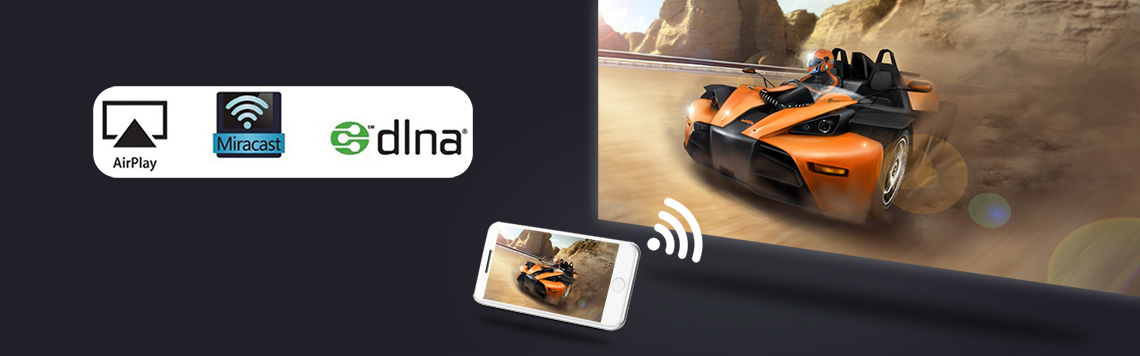
About U14(Pro Version) Wireless screen projection function
wifi-display function, the projector displays the image and sound of the mobile phone screen through the mirroring function of the smartphone. This is not achieved using the Bluetooth function. It is achieved through the screen mirroring function that comes with the phone.
- ios smartphone realizes screen mirroring via projector’s “Cast” app
Operation instruction video connection: https://youtu.be/SNPWV65EzWg
- Android smartphones realize screen mirroring via projector’s “cast” app
Operation instruction video connection: https://youtu.be/ajoc61UeInE
Note: Not all Android smartphones support the screen mirroring function. For smartphones that support screen mirroring, there are options similar to this in the “Settings” or “More Functions” options of the smartphone, for example: “Screen mirroing”, “Wifi-display”, “multi-screen”, “screen projection”, “play to”, “media output”, etc.
If the projector’s pre-installed screen mirroring app is not compatible with your Android smartphone, you can also download and install Airscreen, happycast and other apps that support wifi-display on the projector.
Tips:
Some video apps with copyright protection cannot support wireless projection from other devices to the projector. For example, Netflix, iTunes Movie, Google Movie, Amazon Prime do not support this function on some smartphone and computers. All Android system projectors on the market are the same.

U14(Pro Version) Projector Operation Guidance Video
- How to use the U14(Pro Version) projector (how to turn it on)?
Operation instruction video connection: https://youtu.be/pRjK0gsVfBs
- How to connect U14(Pro Version) projector to WiFi?
Operation instruction video connection: https://youtu.be/4Qzm9Ksn2D8
- How to connect U14(Pro Version) projector to other Bluetooth devices
Operation instruction video connection:https://youtu.be/9c1lcEIerDg
- How to check the system version information of U14(Pro Version) projector?
Operation instruction video connection: https://youtu.be/izrKZl6-xgY
- How to change the system language of U14(Pro Version)?
Operation instruction video connection:https://youtu.be/CF_Wt8-uulQ
- How to set the default signal source of U14(Pro Version) after booting, for example to HDMI by default?
Operation instruction video connection:https://youtu.be/-VhqZQfKo8g
- How to operate U14(Pro Version) to restore factory settings?
Operation instruction video connection:https://youtu.be/j_m_L1TIXO4
- How to set U14(Pro Version) to flip the screen image during ceiling mount or rear projection?
Operation instruction video connection:https://youtu.be/cNjNafaYBl4
- How to adjust the keystone correction of U14(Pro Version) (Includes corner keystone)?
Operation instruction video connection:https://youtu.be/ctR8jjW2Wpc
- How to adjust U14(Pro Version) basic electronic digital zoom?
Operation instruction video connection: https://youtu.be/PRUMJ4oYeNQ
- How to operate U14(Pro Version) to upgrade via network OTA?
Operation instruction video connection: https://youtu.be/TSrQnAdE_dQ
- How to operate U14(Pro Version) to update firmware via U disk?
Operation instruction video connection: https://youtu.be/0nFLaBohCgs
- How to turn on auto focus on U14(Pro Version)?
Operation instruction video connection: https://youtu.be/7oxt6xX7MZE
- How to enable automatic power on for U14(Pro Version)?
Operation instruction video connection:https://youtu.be/LMYSdHtc6-M
- How to view U14(Pro Version) USB files?
Operation instruction video connection:https://youtu.be/o0fVtB8utVU
- How to install software via USB in U14(Pro Version) ?
Operation instruction video connection:https://youtu.be/mDPetTeD7KM
- How to use Bluetooth speaker function for BYINTEK LOVE 5 U14 (Pro Version) projector?
Operation instruction video connection: https://youtu.be/yA67DUo8-14
- How to turn on automatic obstacle avoidance in U14(Pro Version)?
Operation instruction video connection: https://youtu.be/Y05lQfqNq8o
- How to use the remote control to focus on the BYINTEK LOVE 5 U14 (Pro Version) projector?
Operation instruction video connection:https://youtu.be/Uc_mGFLAIKs
- How to use the BYINTEK LOVE 5 U14 (Pro Version) projector with automatic keystone correction?
Operation instruction video connection: https://youtu.be/bid6XSTkbd0
- How to use the BYINTEK LOVE 5 U14 (Pro Version) projector with square trapezoid correction?
Operation instruction video connection: https://youtu.be/l794bEOO5QQ
22.How to download software for BYINTEK LOVE 5 U14 (Pro Version) projector in Google Play?
Operation instruction video connection:https://youtu.be/L-W__RdHIrI

U14(Pro Version)Projector Maintenance Guide
How to solve the problem of remote control not working?
1.1 The projector comes standard with a 2.4G wireless remote control. If the remote control does not work, you need to re-operate the remote control to pair with the projector.The operation method is to take out the battery of the remote control, start the projector, wait for the projector to turn on, then move the remote control close to the projector, and then install the battery of the remote control, and the remote control will re-pair with the projector.
1.2 If the pairing is unsuccessful, replace a remote control and try again.
1.3 If the replacement of the remote control still fails, it may be that the cable between the remote control receiver and the motherboard is loose. Reconnect the cable between the receiver and the motherboard.
1.4 If there is still a problem, there may be a problem with the remote control receiving circuit board or the main board. Just replace the corresponding parts. There is a disassembly video guide below.
- The lens of the BYINTEK U14(Pro Version) projector has no light coming out, and the LED does not work, how can I solve it?
Fault phenomenon:
After the projector presses the power button, you can hear that the fan inside the projector is working normally, but there is no light coming out of the lens at all, maybe the LED is not working.
First, disassemble the projector to check whether the cables on the power board are connected properly. If the cables on the power board are connected normally and there is no looseness, the projector still does not work, and a new power board needs to be replaced. If it is still not normal, you need to replace the LED. If the lens still has no light after replacing the LED, you need to replace the motherboard.
Usually replace the power board projector is normal. LED damage is generally caused by high voltage breakdown of the projector’s LED due to lightning strikes or unstable household power grids.
Operation instruction video connection: https://youtu.be/VvsXu4fyhIE
- Replace the power board of BYINTEK U14(Pro Version) series projector
Fault phenomenon:
The power indicator on the top cover of the projector is not on, or there is no light coming out from the inside of the projector lens (that is, the LED does not work), it may be a problem with the power board, and the power board needs to be replaced.
Operation instruction video connection: https://youtu.be/SrptvV_ylo0 - Replace the focus motor of BYINTEK U14(Pro Version) series projector
Fault phenomenon:
If you press and hold the “F+” and “F-” buttons of the remote control, the projector lens cannot move back and forth, that is, it cannot be focused. It may be that the focusing motor is not working, or the circuit board connected to the focusing motor is not working. Replace both parts.
Operation instruction video connection: https://youtu.be/Fkyo9Xg1E5M A few minutes after the projector is turned on, a black shadow appears in the middle of the screen and gradually expands. This may be because the LCD cooling fan inside the projector is not working.
Operation instruction video connection: https://youtu.be/4-SpvfL8zMo
https://youtu.be/gpELjey4nd0Replace BYINTEK U14(Pro Version) Projector LED Cooling Fan?
Operation instruction video connection: https://youtu.be/tI4AZ6gH-HMReplace the motherboard of BYINTEK U14(Pro Version) projector?
Operation instruction video connection: https://youtu.be/h3MMlkq8LJAHow to replace the LCD of the BYINTEK U14(Pro Version) projector?
Fault phenomenon: https://youtu.be/VvsXu4fyhIE
If the picture image is abnormal, there are colored streaks, or there are cracks, black blocks that will not recover after the projector cools down, etc., the LCD may be damaged and the LCD needs to be replaced.Operation instruction video connection: https://youtu.be/wWfEYXqDtLI
What should I do if the remote control does not respond? How to replace theremote control receiver inside the BYITNEK U14 (Pro Version)series projector?
Solution:Turn on the projector first, then remove and re-install the batteries of the remote control.
If it still doesn’t work, please replace the remote
If replacing the remote control does not work, please replace the remote control receiver inside the projector
Replacing the remote control receiver inside the projector, operation guide video URL: https://youtu.be/-RRmVPyoO2A
How to replace the thermal insulation glass of U14(Pro Version)?
Fault phenomenon:
After the projector has been used for a long period of time, large yellow spots appear on the screen. This may be caused by the yellowing of the insulating glass.Operation instruction video connection: https://youtu.be/VvsXu4fyhIE
How to change the lens of U14(Pro Version)?
Fault phenomenon:
If the product fails to focus, but the focus motor and lens are normal, the lens stopper may be damaged and needs to be replaced.Operation instruction video connection:https://youtu.be/bTbERaQbNaU
How to replace the lens stopper in the U14(Pro Version)?
Fault phenomenon:
If the product fails to focus, but the focus motor is normal, the lens moving support may be damaged and the lens module needs to be replaced.Operation instruction video connection:https://youtu.be/JNicYuoziVo
How to replace the speaker in U14(Pro Version)?
Fault phenomenon:
When the product is not muted and the headset is not used, there is no sound during any operation. This may be due to a broken speaker, which needs to be replaced.Operation instruction video connection:https://youtu.be/Sk2ZH3zmfmI
How to replace the temperature control switch of U14?
Fault phenomenon:
If the product automatically shuts down after a few minutes even though the fan is running normally after it is turned on, this may be due to an abnormality in the product’s temperature control, and the temperature control component needs to be replaced.Operation instruction video connection: https://youtu.be/5_rSOnJZjjQ
BYINTEK U14 projector all parts disassembly instruction video (disassemble: motherboard, LCD, power board, fan, Insulation glass, reflector, lens, LED, focus motor, speaker, )
Operation instruction video connection: https://youtu.be/keEahYUnF1U
 English
  العربية
  Русский